Work Study Victoria
Study Victoria · International educationFive languages, 86 schools, one front door
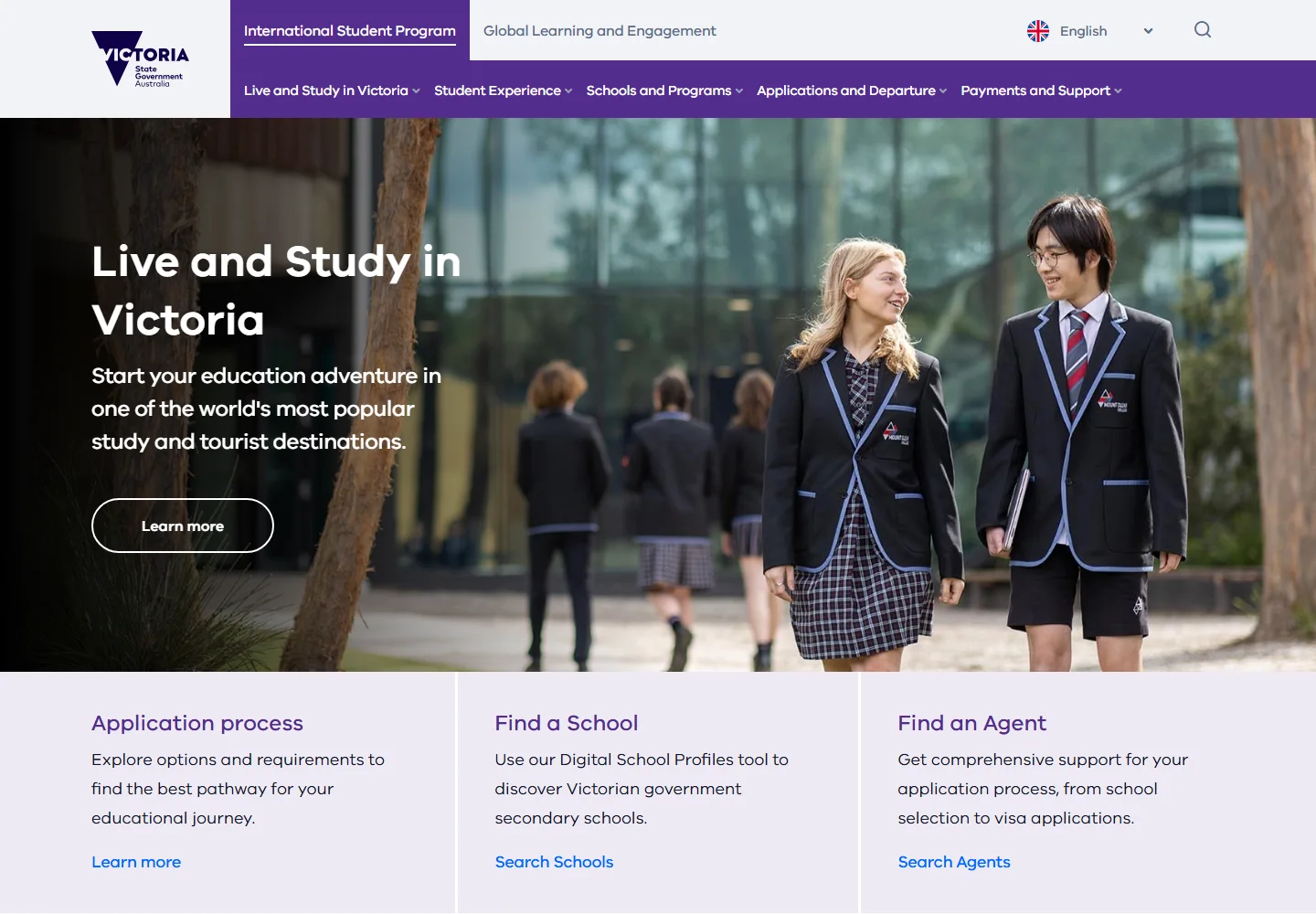
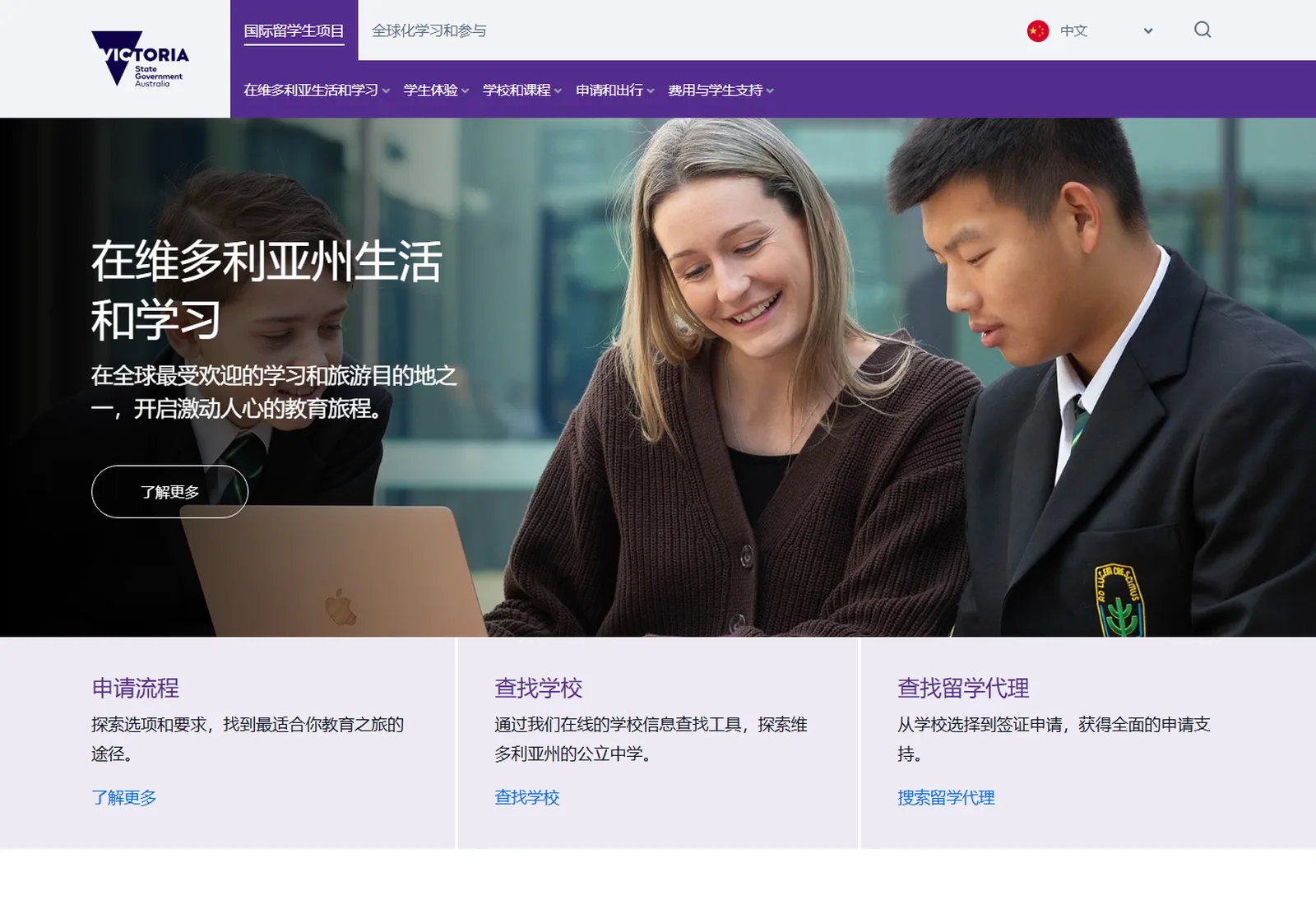
For a family in Hanoi or Seoul weighing up a Victorian government school, study.vic.gov.au is the Department of Education. Ladoo rebuilt it on Squiz DXP so it reads properly in five languages and puts every accredited school on one map.
- Five languages, translated by the page or by the module
- 86 government schools on one map, each with a profile on one template
- Around 325 pages moved from SharePoint, and fourteen event forms since
A site that has to work from the other side of the world
The International Student Program brings students into Victorian government schools from across Asia and beyond. Its website carries the whole year: why Victoria, which school, how to apply, what it costs, what to pack. Most of the people reading it are overseas, and many are reading it in Chinese, Vietnamese, Korean or Japanese.
The old site ran on SharePoint and had reached the end of its life. Find a School was a separate application in a frame. Around 325 real pages were buried under more than a thousand generated ones. The Department needed a site that could hold five language versions without five times the work, play video for families in China, and be read there without a VPN. The brief was a platform, not a redesign.
Students, parents and their agents
Reading from Shanghai, Ho Chi Minh City, Seoul or Tokyo, often on a phone, often with an education agent in the room. They want to know what a Victorian school is like, which one has a place, and what it will cost.
- Every page in their language
- A school finder they can filter by region, level and subjects
- An application process laid out step by step
The Department and 86 schools
A small team publishing in five languages, and 86 schools whose profiles have to stay accurate: places available, subjects on offer, fees, who to call.
- A module kit authors arrange themselves
- One profile template for every school
- Forms for events and registrations, built in the CMS
Translate the page, or just the module
The Department supplies the translations. The site holds them. Every page exists in up to five versions, and a page can be translated whole or module by module, so a map, a video or a fee table that is the same in every language lives once and shows up everywhere.
Pick a language. It cycles on its own until you do.
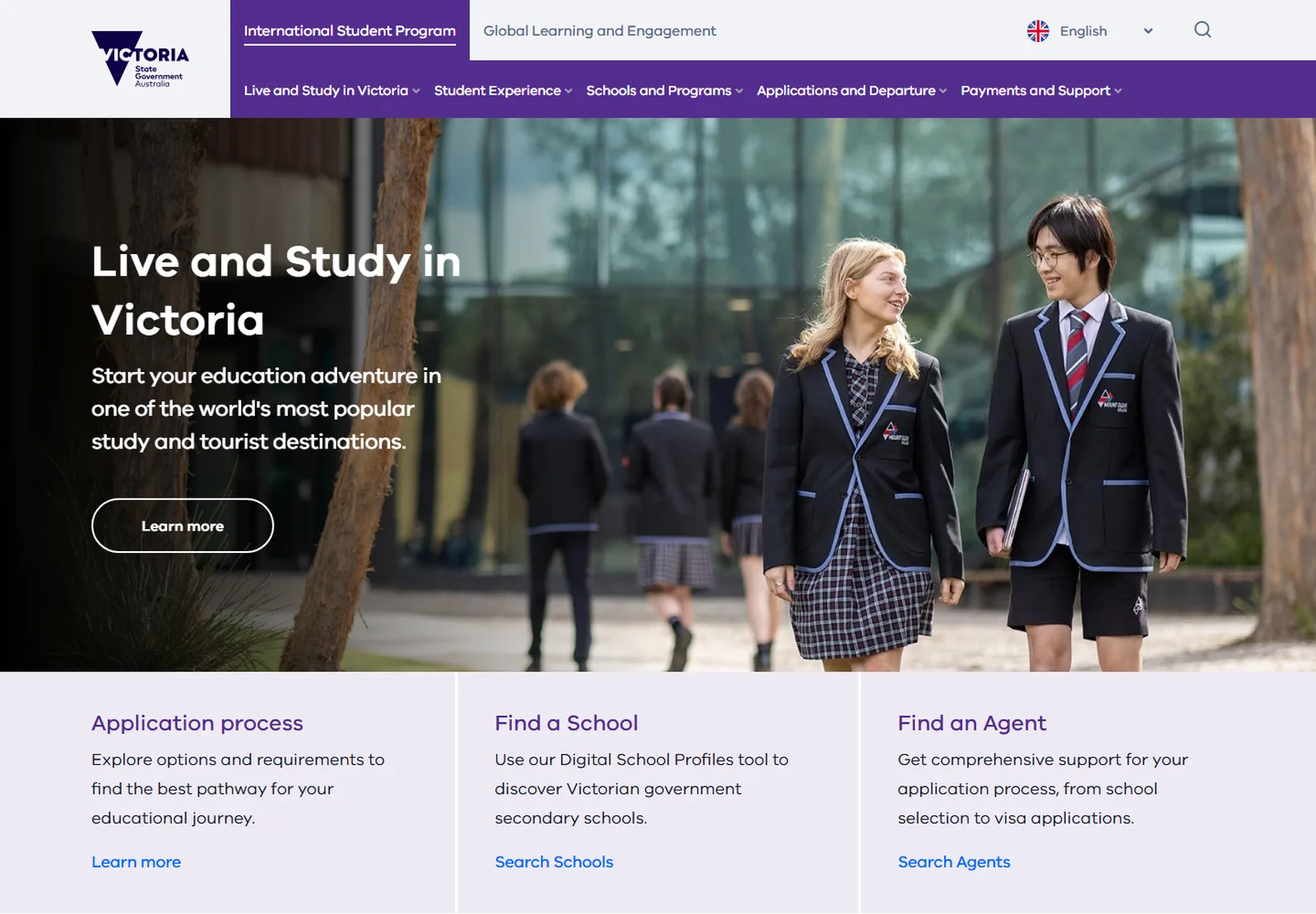
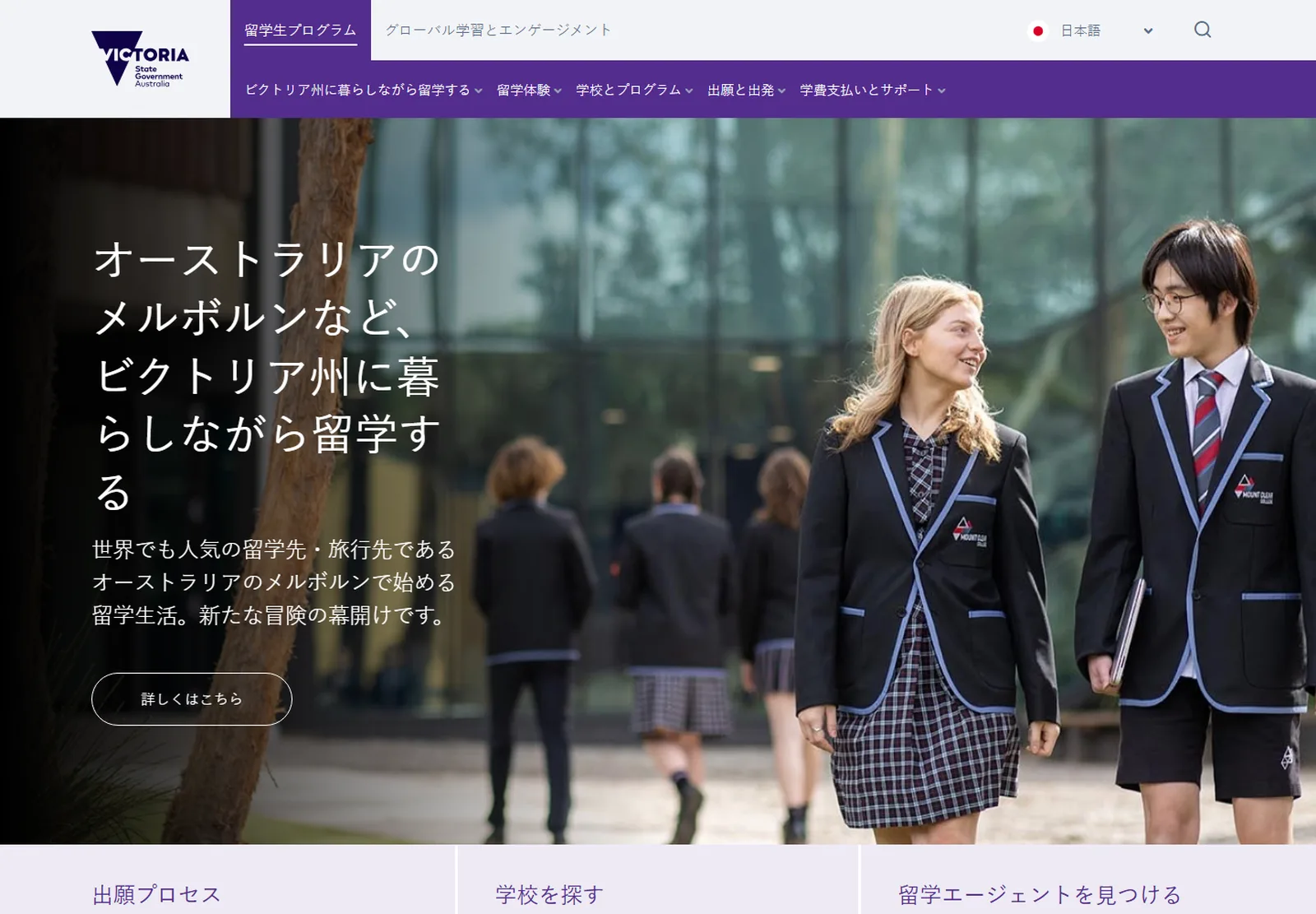
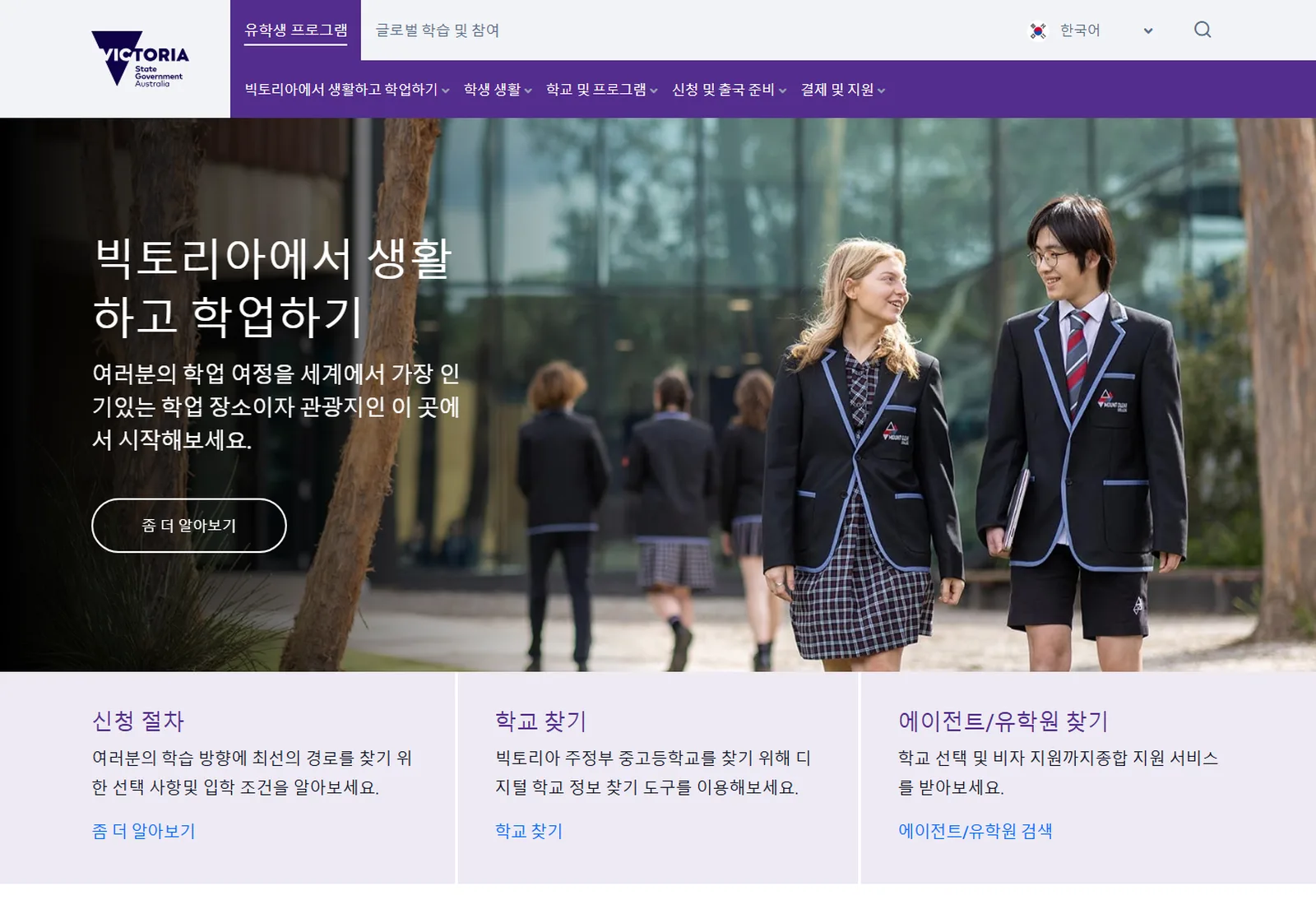
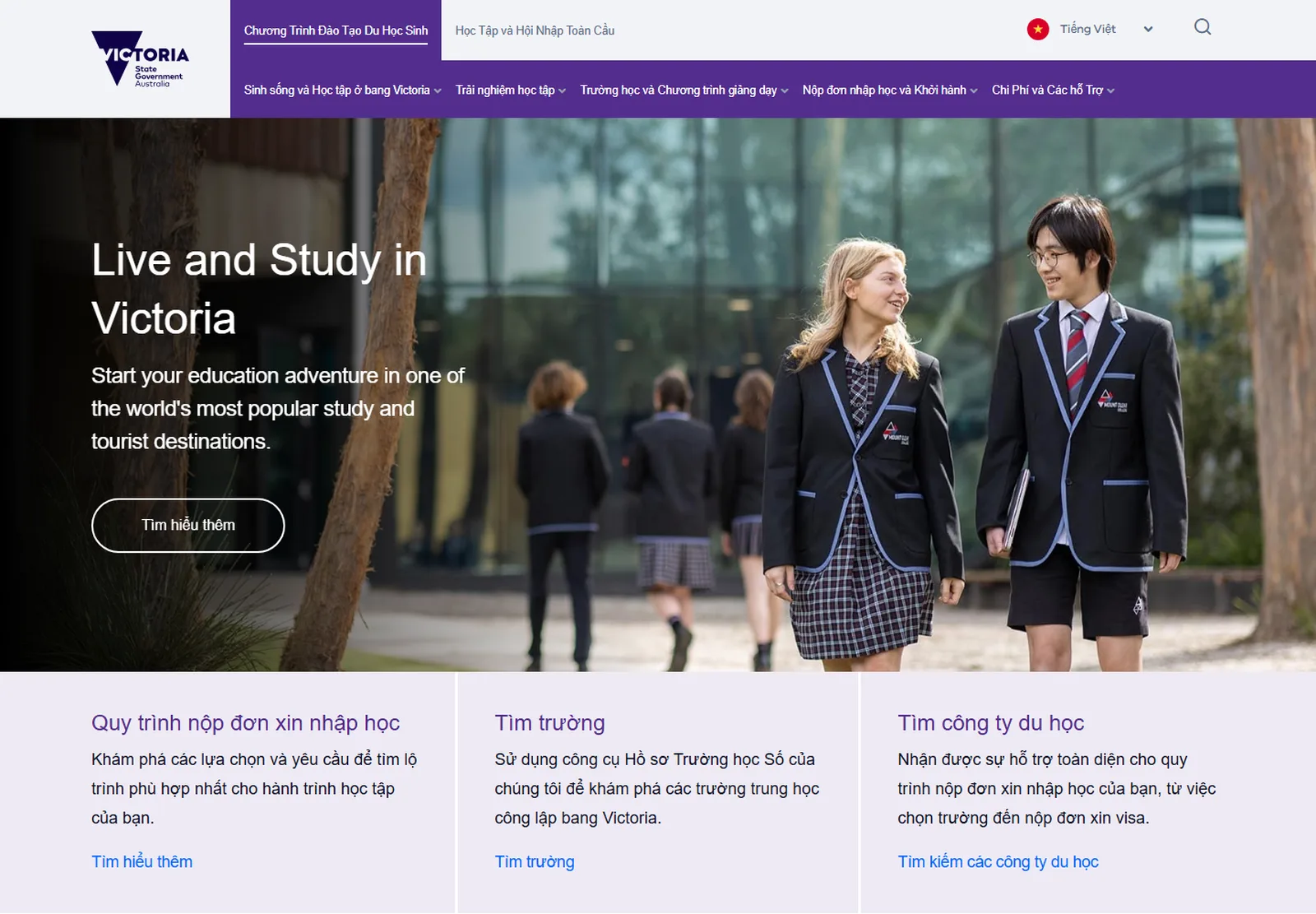
Every school on one map
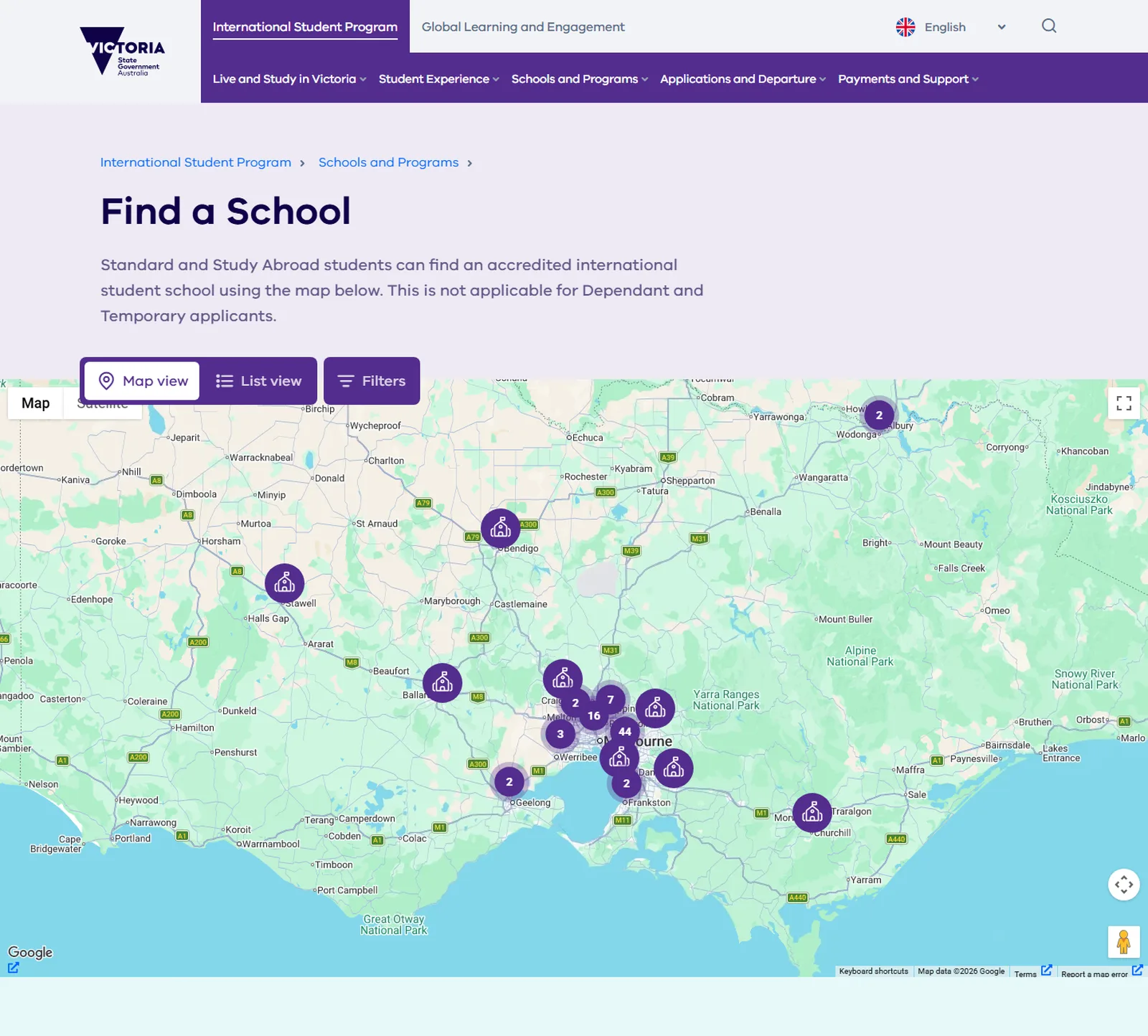
On the old site the school finder lived in a frame from another system. Now it is part of the site. All 86 accredited schools sit on a Google map, with a list view beside it and filters for level, which semester has places, the region of Melbourne or Victoria, and the subject areas a student cares about.
Each pin was placed from the school's address, and each one opens a profile built on the same template, so a family can compare Balwyn with Bendigo on the same terms.
What a school profile has to carry
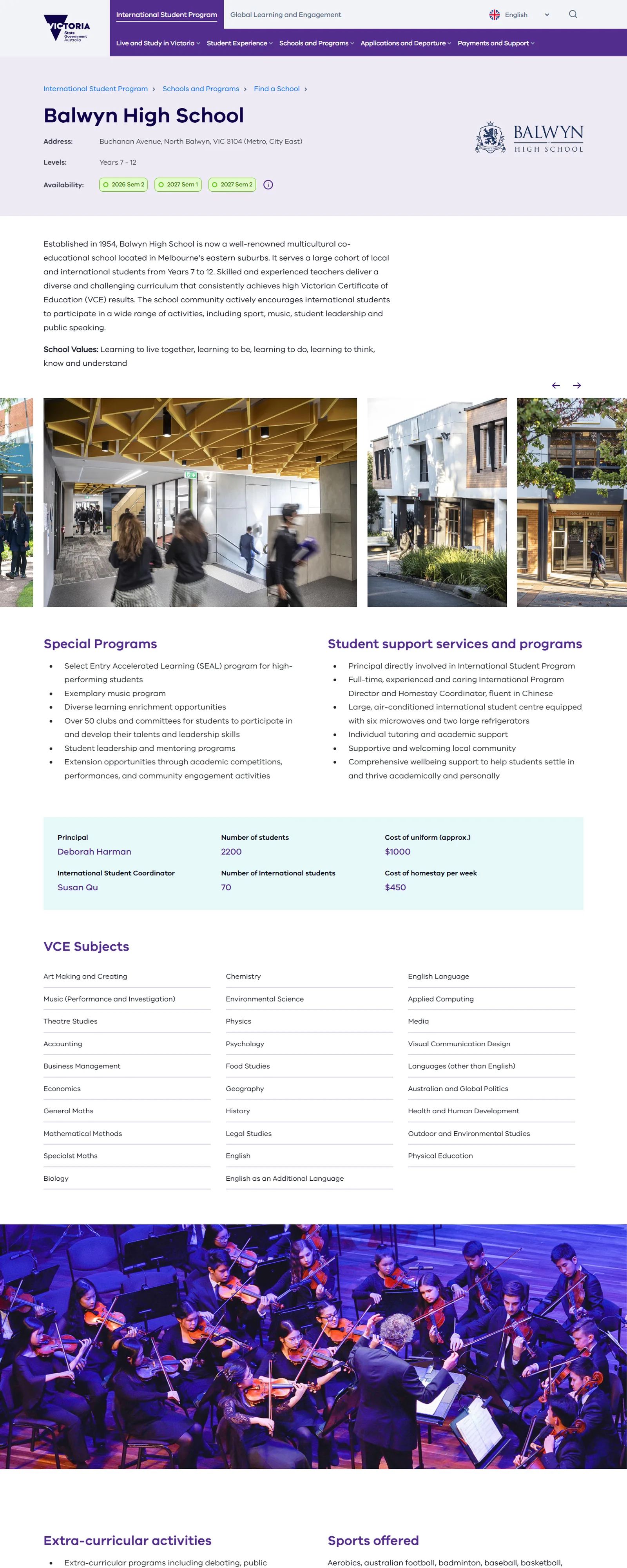
Eighty profiles were built from the program's printed school guide and photo archive, at the Department's request, after launch. Each one answers the same questions in the same order.
12345- 1
Where, which years, and when there is a place
Address and region, year levels, and the semesters with availability, right under the name. Half of the questions are answered before the scroll.
- 2
What it looks like
A gallery from the school's own archive. For a family that cannot visit, the photos are the visit.
- 3
Programs and support
Special programs on one side, student support on the other, including who looks after international students and which languages they speak.
- 4
The quick facts
Principal and coordinator, student numbers, the cost of a uniform and of a week in homestay. Six figures a parent will compare across schools.
- 5
Subjects, sport and the local area
Every VCE and VET subject offered, the extra-curricular list, and what the suburb is like, for the people who want to stay a while.
Thinking about something similar? Nathan reads every message and replies within a business day.Talk to Ladoo

Designed for the device it is read on
A profile has a lot to carry, and most of the people reading it are on a phone a long way away. The page scrolls in a clear order, the gallery swipes, the subject lists stack, and the facts a parent will screenshot sit in one block.
The same template serves the Department's authors, who fill in fields rather than lay out pages, so eighty profiles came out consistent.
Built around the student's year, not the org chart
The structure follows the order in which a family actually does things. Each stage is a section of the site, and the home page is a shortcut to each.
Why Victoria
Live and Study in Victoria: lifestyle, cost of living, health and safety, accommodation and homestay, and the pathways to university.
Which school
Schools and Programs: how the education system works, the qualifications, and Find a School with its 86 profiles.
Who can help
Find an Agent: accredited education agents near the family, searchable by country.
How to apply
Applications and Departure: four application types, submission dates, a ten-step process and pre-departure information.
What it costs
Payments and Support: this year's school fees, make a payment, brochures and forms, and the questions families ask.
What it is like
Student Experience: school life, an overview of primary and of secondary, and success stories told by the students themselves.
Twenty modules, from promotional to step by step
The same site has to sell Victoria to a sixteen-year-old and walk a parent through a ten-step application. The design is a kit of modules that authors arrange in Squiz DXP, each with a defined content structure, each one tested on a module page before it reached a real one.
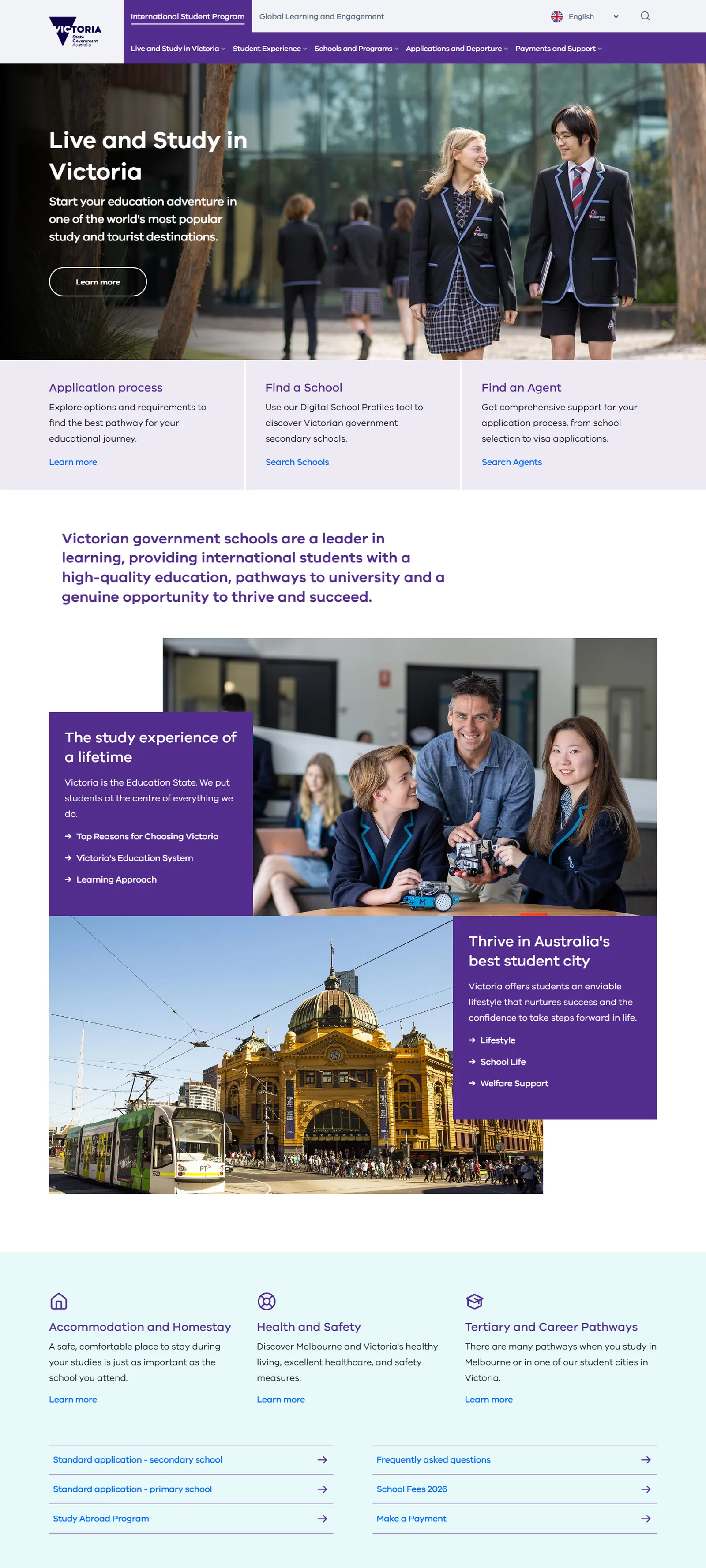
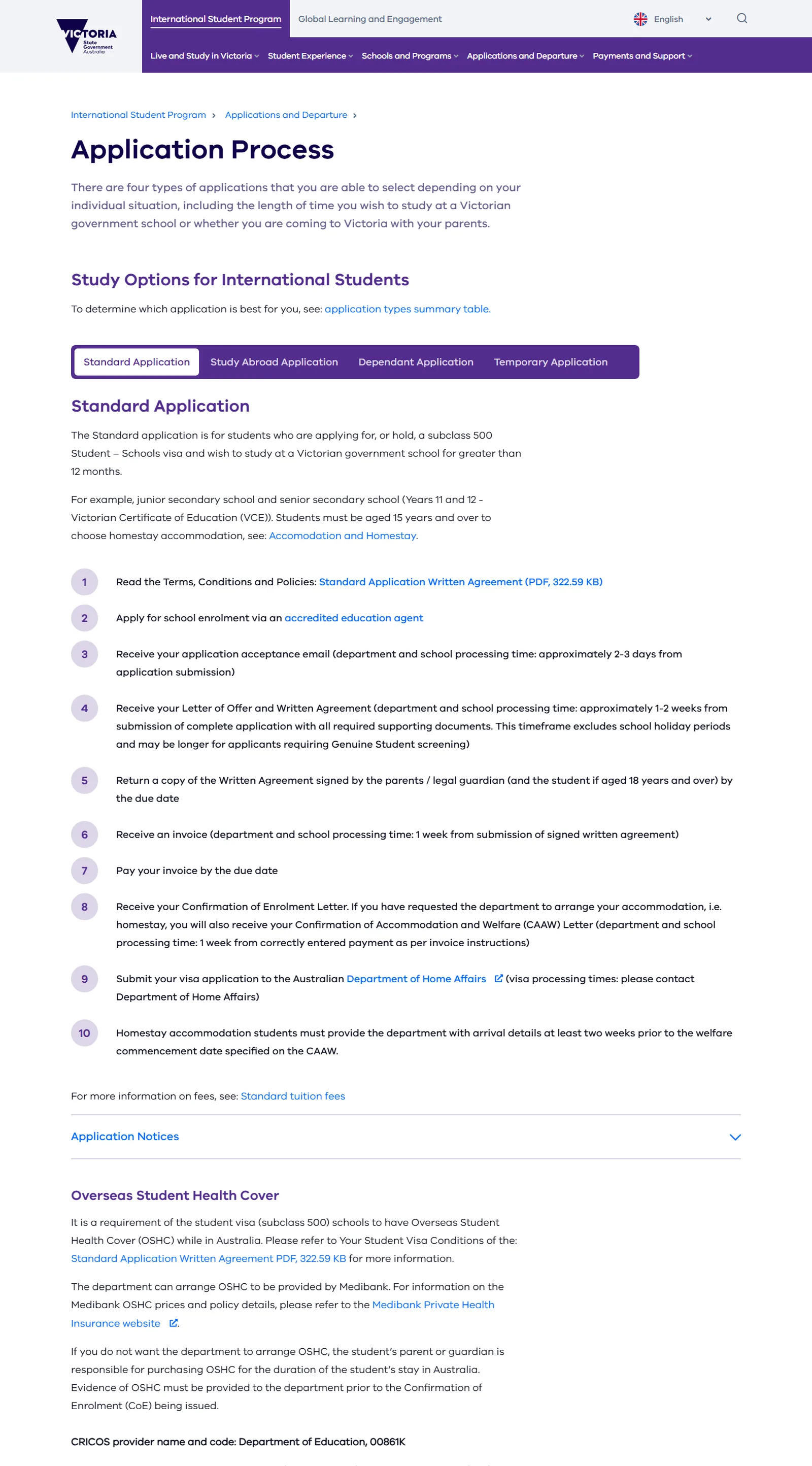
The two ends of the kit. A promotional page built from feature headers, image cards and student stories, and an instructive one built from a numbered process with tabs and an FAQ group.
From kick-off to launch in one school year
Discovery, January 2024
Kick-off with the program team, a review of the SharePoint site and its analytics, stakeholder workshops, and wireframes and design concepts brought forward so the direction could be seen early.
Design and definition
A new information architecture in the order a family does things, a design system on the Victorian Government brand, responsive screens for the key pages, and a specification for each module.
Delivery
Responsive front end, Squiz DXP implementation, Funnelback, the map, the five-language structure and the migration of around 325 pages with their metadata. More than a hundred QA items worked through module by module.
Launch, 2024
Acceptance testing with the Department, an authoring guide and training, the domain moved to Squiz Cloud, and a go-live checklist signed off line by line.
WCAG 2.1 AA, in five scripts
Accessible for a global audience means contrast, structure and labels that hold up in Chinese, Japanese and Korean as well as English.
Readable from China
Hosting chosen so the site opens in China without a VPN, with video on Tencent as well as YouTube.
Fields, not layouts
Profiles, forms and translations are structured content. Authors fill in the right fields and the design takes care of the rest.
Eight layers, one team
Every public website is a stack. These are the layers Ladoo designed and built for Study Victoria, from the pages families see to the map data and the forms behind them.
From the page a parent reads to the pin on the map.Designed and built by one Ladoo team on Squiz DXP
- InterfaceA module kit of twenty parts, from promotional to step by step
- ContentAround 325 pages moved off SharePoint with their metadata
- MultilingualFive languages, translated whole or module by module
- SearchFunnelback search across every language version
- MapsFind a School: 86 schools on a Google map with filters and a list
- FormsFourteen event and registration forms in the CMS
- IntegrationsYouTube and Tencent video, and the Ambassador platform
- AccessibilityWCAG 2.1 AA for a global audience
The site has kept growing
Eighty school profiles
Built from the printed guide and the photo archive, each one geocoded, resized and entered on the template, then checked against the source.
Fourteen event forms
Pre-departure sessions, round tables, awards, forums and tours, each a form inside the CMS on the site's own templates.
Profiles out as a spreadsheet
A CSV export of every profile's data, in the Department's column order, so the program can report without retyping.
The questions we get asked about this project
Who does the translating?
The Department. Its translators supply the copy in each language, and the site is built to hold it. What Ladoo built is the structure that keeps five versions of a page in step, and the choice of translating a whole page or a single module.
Why Squiz DXP?
A Victorian Government site with a small publishing team, strict accessibility requirements, structured content in five languages, and a search that has to work across all of them. Squiz DXP with Funnelback does all of that, and Ladoo has built on Squiz since 2010.
Did Ladoo write the content?
No. The Department owns the words, the photos and the translations. Ladoo migrated them, structured them and built the templates that present them.
What happens after launch?
The program team publishes in all five languages itself. Ladoo has kept shipping since: the eighty profiles, the forms, the export. Councils, departments and universities with a multilingual audience are the closest fit for this shape of work.

- Client
- Department of Education, Victoria
- Site
- study.vic.gov.au
- Sector
- International education
- Platform
- Squiz DXP and Funnelback
- What we did
Ladoo ran discovery, designed the information architecture and the interface, and built the site on Squiz DXP with Funnelback, the map and the five-language structure. The Department of Education writes, translates and publishes the content with its own team.
What shipped
- A multilingual Squiz DXP site in English, Chinese, Vietnamese, Korean and Japanese, translated by the page or by the module
- Find a School: 86 government schools on a Google map with a list view and filters, each with a profile on one template
- A twenty-module kit that carries pages from promotional to step by step
- Funnelback search across every language version
- Around 325 pages migrated from SharePoint with their metadata, and eighty school profiles built after launch
- Fourteen event forms and a profile data export, shipped as the program needed them


Talk to Nathan about your site.
Nathan runs Ladoo and reads every message himself. Tell him what the site has to do and what is in the way, and within a business day he will tell you what he would do first and whether we are the right fit.
